Steal My Prompt: An AI App Risk Check for Dental Practices
Oct 23, 2026It starts innocently enough...
You're using ChatGPT, Claude or another AI assistant when it offers to connect to your email, calendar, Google Drive or another application.
Imagine how much time that could save! Tempting? Absolutely.
But before you click Connect, there's one question worth asking:
What am I giving this tool permission to see or do?
Connecting AI to your everyday applications can be incredibly useful. It can also give that AI access to information you may not have intended to share.
For a dental practice, that could include patient information, employee records, financial details or confidential business communications. So how do you know whether a connection is safe?
Here's the good news. You can use AI to help you find out before you connect anything.
And I'm giving you the prompt to do it.
What happens when you connect AI to another app?
When you connect an AI assistant to an application, you're giving it permission to interact with that application in some way. Exactly what it can do depends on the connection and the permissions you approve.
For example, one connection might allow AI to search your email and summarize messages. Another might allow it to write emails, send messages or change calendar appointments.
Some connections can even give a tool broad access to settings, files or other parts of your business systems.
The more access you give a tool, the more important it becomes to understand what could go wrong.
Security experts recommend giving applications only the access they actually need. If you want AI to summarize an email, for example, why should it also have permission to delete one? [1]
Not all AI connections are created equal
There are three common levels of access worth understanding.
Read-only access: The tool can view or retrieve information. It generally cannot change anything in the original application. But that doesn't automatically mean your information is safe. Sensitive information may still be sent to or processed by another service.
Read and write access: The tool can read information and may also create, change, send or delete it. The exact actions depend on the permissions granted.
Broad or administrator access: The tool may be able to manage settings, users or larger parts of a system. This can increase the consequences of a mistake or security incident.
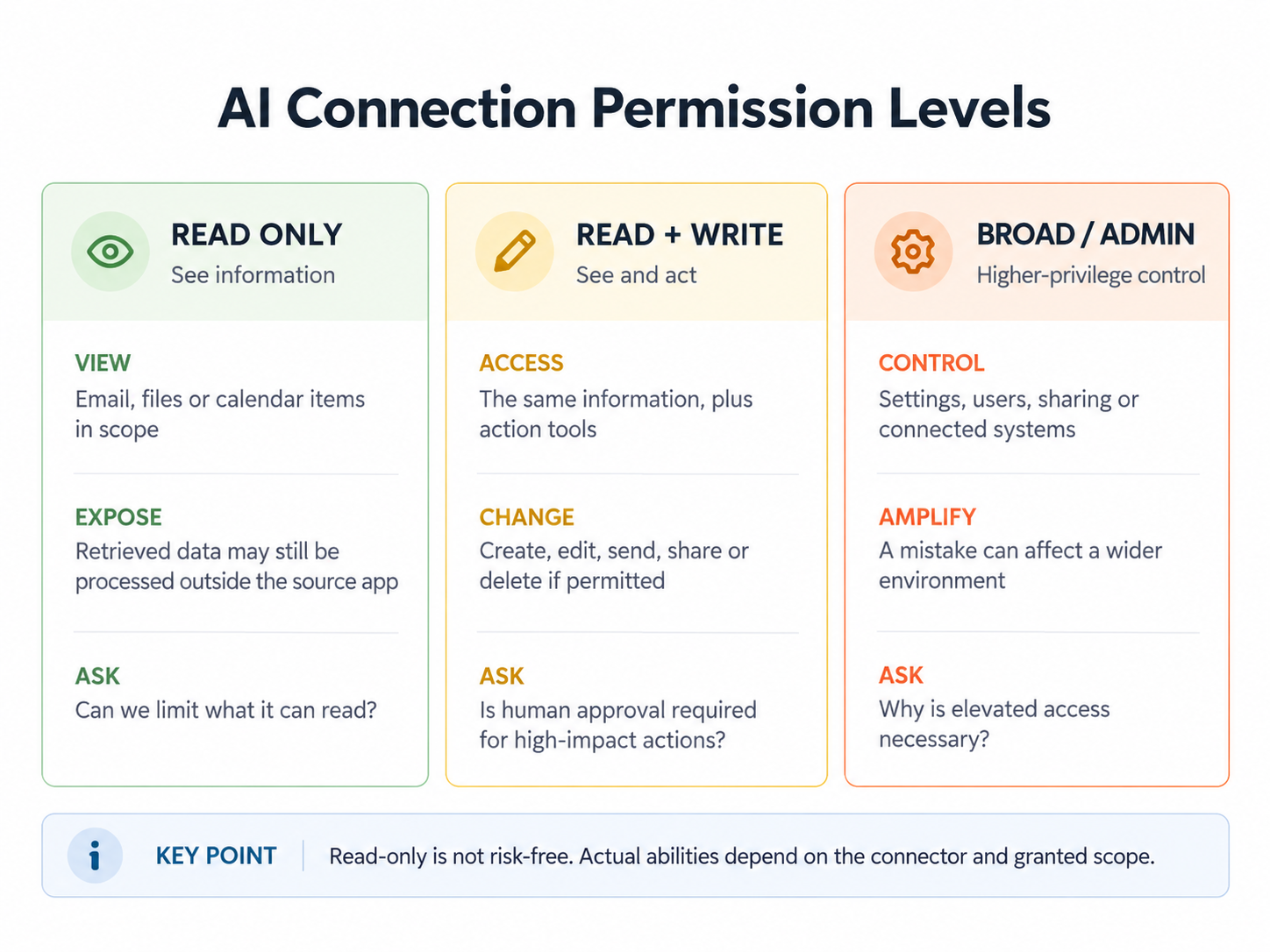
AI connections can have very different levels of access. The exact permissions depend on the application and how the connection is configured.
The important takeaway?
Read-only doesn't mean risk-free.
And just because an application asks for permission doesn't mean you should automatically give it everything it requests.
Here's a real example of why checking AI connections matters.
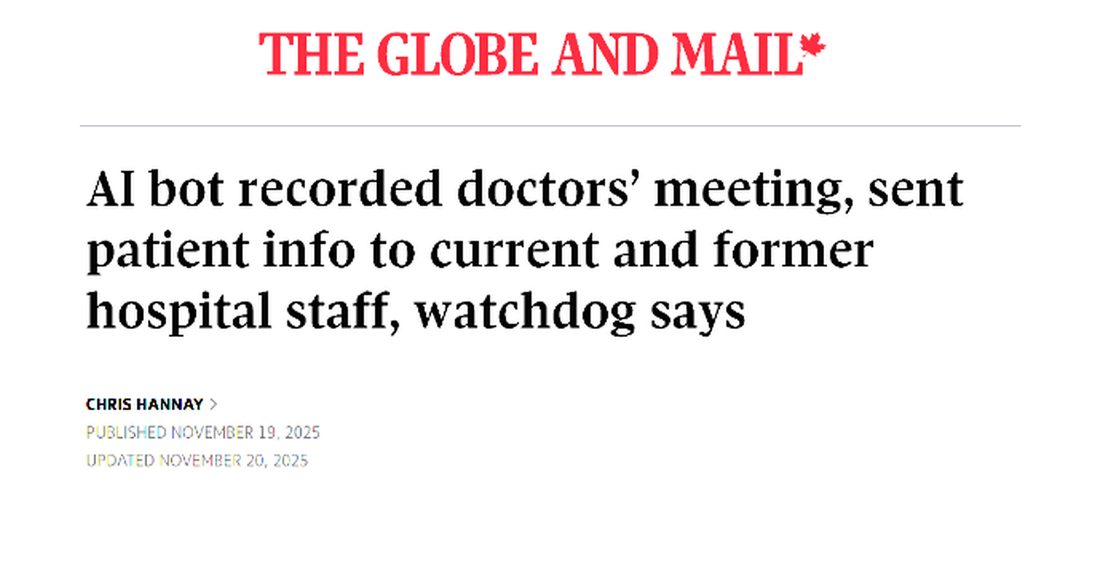
In September 2024, an AI note-taking tool called Otter.ai joined a hospital's virtual clinical meeting without authorization. The tool had been installed by a physician who had already left the hospital.
How did it get into the meeting?
An old recurring meeting invitation was still sitting in the physician's personal calendar. The AI tool was connected to that calendar and automatically joined the meeting. It recorded a discussion containing personal health information about seven patients.
Ontario's Information and Privacy Commissioner examined the incident and published its findings in April 2026. [2] This wasn't a dental practice, but the lesson applies just as easily to dentistry.
A forgotten calendar invitation, an unapproved AI tool and a few missing safeguards were enough to expose sensitive patient information. Nobody needed to hack the hospital. The technology did what its connection allowed it to do.
You can read the full breakdown in our Healthcare Breach Cases library, where we explain what happened and what dental practices can learn from it.
Test Your Judgement
Can't see the game? Open it in a new tab.
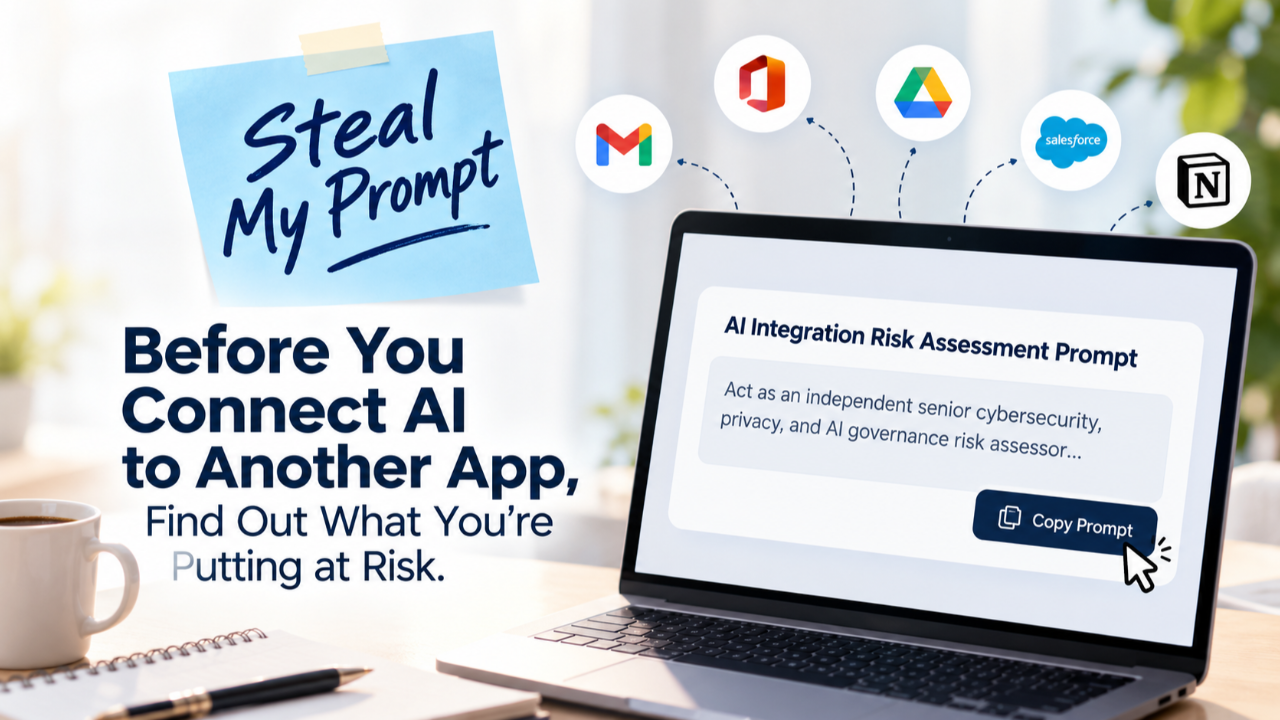
Steal my prompt: Find out what's at risk before you connect
You don't need to be a cybersecurity expert to start asking better questions.
I've created a prompt you can copy into ChatGPT, Claude, Gemini or another AI assistant.
Simply fill in the details about the connection you're considering.
The AI can help identify what information might be exposed, what permissions you should question and what safeguards you may need.
It can also help you prepare questions for your IT provider or privacy officer.
Copy this prompt
START OF PROMPT
Act as an independent privacy, cybersecurity and AI safety advisor.
I'm considering connecting an application to an AI assistant. Before I do, I want to understand what information and business systems could be at risk.
Here are the details:
-
AI assistant: [ChatGPT, Claude, Gemini or other]
-
Application I want to connect: [Application name]
-
What I want it to do: [Describe the task]
-
Type of account: [Personal, Business or Enterprise]
-
Location: [Province or country]
-
Information involved: [Email, schedules, business records, patient information or other categories]
Please review the following questions using current, reliable sources.
1. What can this connection see?
What information could the AI access? Could it see more than it needs to complete my task?
2. What can it do?
Is the connection read-only? Can it create, change, send, share or delete information? Could it take actions without asking me first?
3. Where does my information go?
Will another company or service receive or process it? Where might it be stored? Could it be kept or used to train an AI model?
4. What could go wrong?
Explain the most realistic privacy and cybersecurity risks in plain language. Include the possibility that someone could trick the AI into taking an unwanted action.
5. What rules do I need to consider?
Identify any privacy laws, professional responsibilities or organizational policies that may apply, especially if patient information is involved.
6. How can I make this safer?
Recommend ways to limit access, protect information and require human approval before important actions.
7. How do I disconnect it?
Explain how to remove the connection and what might happen to information that was already shared.
Give me a simple report that includes:
-
An overall risk rating: Low, Moderate, High or Critical
-
What information could be at risk
-
The three most important things that could go wrong
-
What I should do before connecting
-
Questions I should ask the vendor or my IT provider
-
A recommendation to approve, approve with conditions, decline or seek more information
Clearly separate confirmed facts from possible risks.
Do not guess about security features or permissions. Use official sources and provide links. If you cannot confirm something, tell me.
Do not ask for passwords or actual patient information. Do not connect to any applications or make changes.
Explain everything in language a dental practice manager can easily understand.
END OF PROMPT
One more thing before you click connect
Here's a tip that can make the assessment much more useful.
When an application asks for permission, look carefully at the authorization screen.
You can copy the permission descriptions or take a screenshot and ask AI:
"These are the permissions the application is requesting. Which ones are necessary for what I want to do, and which ones might give it more access than it needs?"
Remove names, email addresses, account details and other sensitive information before sharing the screenshot.
And remember that an AI-generated risk report is a starting point, not a security approval. The assistant may not know the details of your contract, your settings or how a particular connection handles information behind the scenes.
Important decisions still need to be checked by the appropriate person.
A few things every dental practice should consider
Before approving an AI connection, make sure someone in your practice can answer these questions:
- Has this tool been fully vetted and approved?
-
Do we know exactly what information the tool can access?
-
Have we checked the permissions it is requesting?
-
Does it need access to patient information?
-
Do we know where that information will be processed or stored?
-
Is someone responsible for approving and reviewing the connection?
-
Do we know how to disconnect it when we no longer need it?
Ontario's dental regulator, the RCDSO, specifically includes administrative AI tools in its AI guidance. It advises greater caution when AI tools handle personal health information or affect clinical care. [3]
Canadian privacy regulators also emphasize that organizations remain responsible for protecting personal information when using AI. [4]
This is why we encourage dental practices to think beyond the tool itself.
Our Dental AI Risk Framework helps practices consider the broader steps involved in choosing and using AI responsibly. The Myla SAFE™ Framework provides a practical way to see the risks, assign responsibility, formalize protections and keep improving them.
Frequently asked questions
Is it safe to connect ChatGPT or Claude to my work email?
It depends on the exact connection, your account settings and the information involved. A reputable AI provider is not a guarantee that every connection is appropriate for your business.
Is read-only access safe?
It generally reduces the risk of unwanted changes, but it doesn't eliminate privacy risks. Information retrieved through the connection may still be processed by the AI service or another provider.
Will my information be used to train AI?
Not necessarily. It depends on the provider, the type of account and the applicable terms. Data processing, storage and model training are different issues. Check each one before approving a connection.
Can I use this prompt to review connections I've already made?
Absolutely. In fact, reviewing existing connections is a smart place to start. Look at what has access, whether you still need it and whether you can reduce the permissions.
Does this prompt replace a formal privacy assessment?
No. It's a practical first step. Depending on the information involved and the applicable rules, a more detailed privacy or security assessment may still be necessary.
AI should make your work easier, not create risks you didn't know you were taking

I'm a big believer in using AI to make our working lives easier. But there's a difference between connecting a tool because it's convenient and connecting it because you've made an informed decision. You don't need to understand every technical detail. You do need to understand what you're giving the tool permission to access and whether appropriate safeguards are in place.Anne Genge - Certified Information Privacy Professional
So go ahead. Steal my prompt.
Use it before your next AI integration. Share it with your practice manager, privacy officer or IT provider.
And keep a copy of the answers so you have a record of what you considered before making the decision.
Want more practical guidance for your dental team? Explore the resources at mylatraining.com and join our newsletter for plain-language advice on privacy, cybersecurity and AI safety.

Learn More. Worry Less. Stay Safe.™
Sources
[1] OWASP GenAI Security Project.
Excessive Agency: The risks of giving AI tools too much access.
[2] Information and Privacy Commissioner of Ontario.
Artificial intelligence gone wrong: Why custodians need strong AI frameworks and policies. April 27, 2026.
[3] Royal College of Dental Surgeons of Ontario.
Information on Artificial Intelligence in Dentistry.
[4] Office of the Privacy Commissioner of Canada.
Principles for responsible, trustworthy and privacy-protective generative AI. December 7, 2023.
|
Start with Myla's Dental AI Risk Framework, join the newsletter for practical guidance, and explore Myla team training or membership options when a structured system is needed. Learn More. Worry Less. Stay Safe.™ |
Train Your Team to Spot AI Risks Today