Dental Email Phishing: The Attack That Looked Harmless for 10 Days
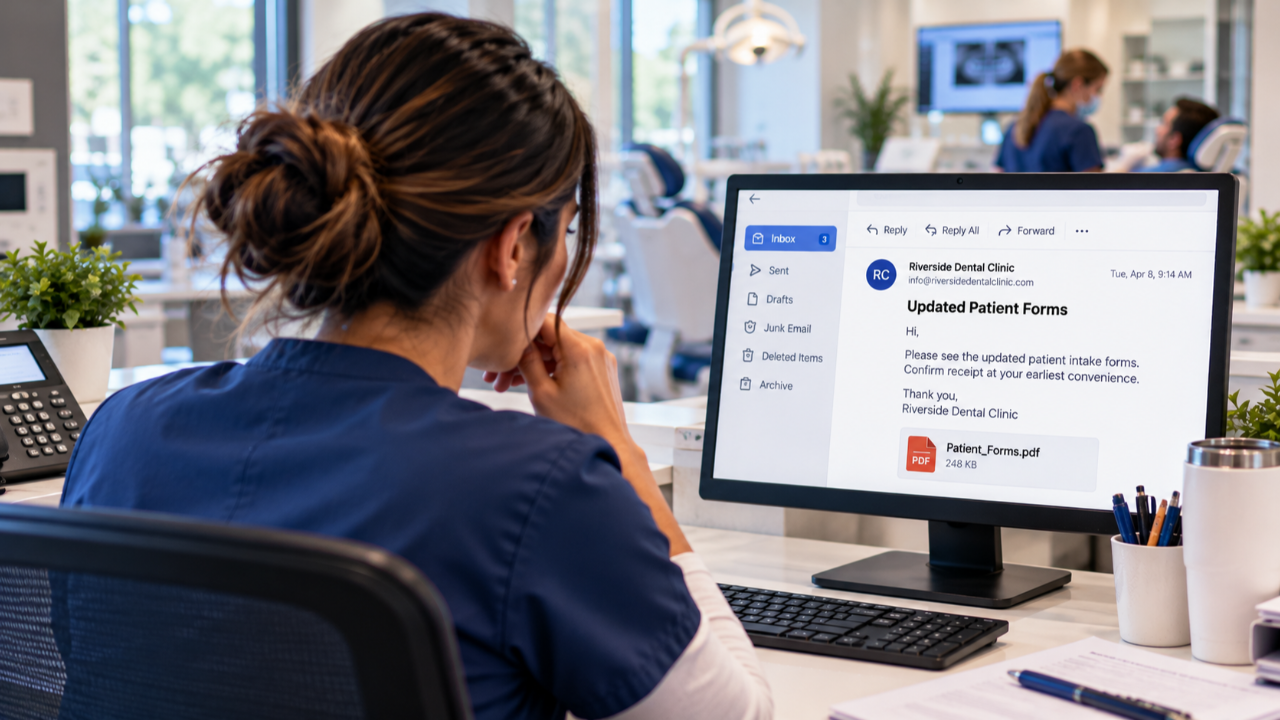
Oct 08, 2026A dental practice receives an email that appears to come from another dental office. Someone clicks it. Nothing obvious happens. No alarming pop-up, no immediate disruption, no reason to think the day has changed.
Then, about ten days later, messages begin going out from the practice's email account to its contacts. The recipients recognize the sender. Some open the messages, and some click.
That sequence comes from an incident described to Myla. It illustrates a real cybersecurity risk, but it does not establish exactly how the account was compromised. The lesson is not that every click causes an infection. It is that the absence of an immediate warning is not proof that an email interaction was safe.
Can a Phishing Email Cause Problems Days Later?
Yes. An attacker who gains access to an email account may use it later to send messages to people who trust the account holder. Microsoft identifies unusual sent messages, forwarding rules and deleted mail as possible indicators of a compromised Microsoft 365 account. Canada's Cyber Centre also warns that compromised organizations and their trusted contacts can be used in further phishing campaigns. [1] [2]
But timing alone does not prove cause. A click, a stolen password, a fraudulent sign-in page, an intercepted session or another route could be involved. Determining what happened requires an investigation of the account, devices and available logs.

Why an Email From Another Dental Office Can Be So Convincing
Dental teams regularly exchange referrals, radiographs, insurance information, appointment details and other practice correspondence. A message that appears to come from a familiar colleague fits naturally into that workflow.
In a business email compromise, the sender address may belong to a real account that an attacker has taken over. That makes the message more convincing than a crude imitation. Canada's Cyber Centre has documented campaigns in which attackers compromised legitimate organizations, accessed trusted contacts and sent phishing messages from those relationships. [2]
The practical rule is simple: a recognizable sender is useful context, not independent proof that a link or attachment is safe. If a request is unexpected, confirm it through a known phone number or another trusted channel. [3]
What Might Be Happening While Everything Looks Normal?
In some account compromises, an attacker can read messages, create forwarding rules, move or delete email, and send messages to people inside or outside the organization. These are documented behaviours, not a claim that all of them occurred in the incident described above. [1]
An attacker may also use a phishing page to steal sign-in credentials or an authenticated session. Some sophisticated attacks can bypass weaker forms of multi-factor authentication, which is why the Cyber Centre recommends phishing-resistant MFA where feasible. [2]
For a dental practice, the consequences may extend beyond the mailbox. An email account can contain patient correspondence, attachments, vendor communications and password-reset messages. The scope of any exposure must be established rather than assumed.
Five Things Your Team Should Do After a Suspicious Click
- Report it immediately. Tell the practice's designated contact or IT provider what was clicked and when. Do not wait for proof of damage. The Cyber Centre recommends a clear incident-response process and prompt escalation. [4]
- Do not keep interacting with the message. Avoid opening the link again, replying to the sender or entering further information. Preserve the message for investigation.
- Explain what happened accurately. Was it only a link click? Was a password entered? Was a file downloaded? Did the person approve an MFA prompt? These distinctions help the responder assess risk.
- Have the account checked. Your IT or security provider should review relevant sign-ins, sessions, mailbox rules, forwarding settings, sent messages and connected applications as appropriate. Microsoft documents these checks for Microsoft 365 accounts. [1]
- Follow the response plan. Depending on the findings, this may involve securing the account, revoking sessions, changing credentials, checking devices, contacting affected recipients and assessing privacy or reporting obligations. The response should match the evidence. [5]
None of these steps requires a staff member to diagnose a cyberattack. Their job is to report promptly and provide accurate details. Investigation belongs with the people responsible for security.
How to Stop One Compromised Inbox From Becoming Everyone's Problem
Protect email accounts. Use strong, unique passwords and MFA, prioritizing phishing-resistant options where supported. Configure email security settings and review account access regularly. The Canadian Centre for Cyber Security recommends these safeguards as part of organizational email security. [5]
Make verification routine. Teach staff to confirm unexpected links, shared files, payment changes and urgent requests through a trusted channel. This is particularly important when the message appears to come from a known practice or supplier.
Train without blame. The employee who reports a suspicious click promptly may give the practice its best chance to contain an incident. A punitive culture can make people hesitate. Training should explain what to notice, whom to tell and what happens next.
For another common dental-office scenario, read Myla's guide to fake dental supply invoices. If you're reviewing your education program, our article on what effective dental cybersecurity training should include provides a useful checklist.
What If the Suspicious Emails Are Already Going to Your Contacts?
Treat that as a potential active account compromise. Contact your IT or security provider urgently, preserve evidence and follow the provider's containment instructions. Ask the provider to determine which messages were sent, whether forwarding or other persistence mechanisms were configured, and whether additional accounts were affected. [1]
The Cyber Centre recommends notifying email contacts when appropriate, securing affected accounts and contacting relevant parties if financial information or transfers are involved. [5] If patient information may have been accessed or disclosed, the practice should separately assess its obligations under the privacy law applicable in its province.
The Takeaway: The Most Important Click May Be the One You Report
The dental team in this story did not see an obvious problem when the first email was opened. Ten days later, the practice faced a very different situation. That gap is what makes this incident memorable.
The answer is not to distrust every colleague or stop using email. It is to combine strong account protections with a team that knows how to pause, verify and report. Early reporting is a security control.
Frequently Asked Questions
Can clicking a phishing link compromise a dental practice's email?
It can, depending on what the link does and what happens next. Some links lead to credential theft or other attacks, while a click alone may not compromise an account. A security review is needed to establish the outcome. [3]
Why would phishing emails be sent days after the original message?
An attacker with access to an account may use it at a later time. Delayed sending does not, by itself, prove when or how the compromise occurred. Account logs and message history can help establish the timeline. [1]
Can an email really come from a legitimate dental office and still be malicious?
Yes. Attackers sometimes use compromised legitimate accounts and trusted contact relationships to distribute phishing messages. Verify unexpected requests through a separate, known channel. [2]
Should a team member report a click even if nothing happened?
Yes. Prompt reporting lets the practice assess the risk before assuming the interaction was harmless. Tell the responder whether any credentials were entered, files opened or prompts approved. [4]
What should a practice do if its email account is sending suspicious messages?
Contact the IT or security provider immediately, secure and investigate the account, check for suspicious mailbox rules and messages, and consider notifying affected contacts. Assess any patient-information exposure separately. [1] [5]
Make the next suspicious email easier to handle. Explore Myla's dental-specific privacy, cybersecurity and AI training to help your team recognize risks and know when to speak up.
Sources and References
- Microsoft Learn, Respond to a compromised email account in Microsoft 365
- Canadian Centre for Cyber Security, Defending against adversary-in-the-middle threats with phishing-resistant MFA
- Canadian Centre for Cyber Security, Protecting yourself from identity theft online
- Canadian Centre for Cyber Security, Social engineering (ITSAP.00.166)
- Canadian Centre for Cyber Security, Cyber security best practices for managing email (ITSAP.60.002)
Train Your Team to Spot AI Risks Today